
☁️ iCloud vs Google One vs OneDrive — Best Cloud Backup Option in 2026
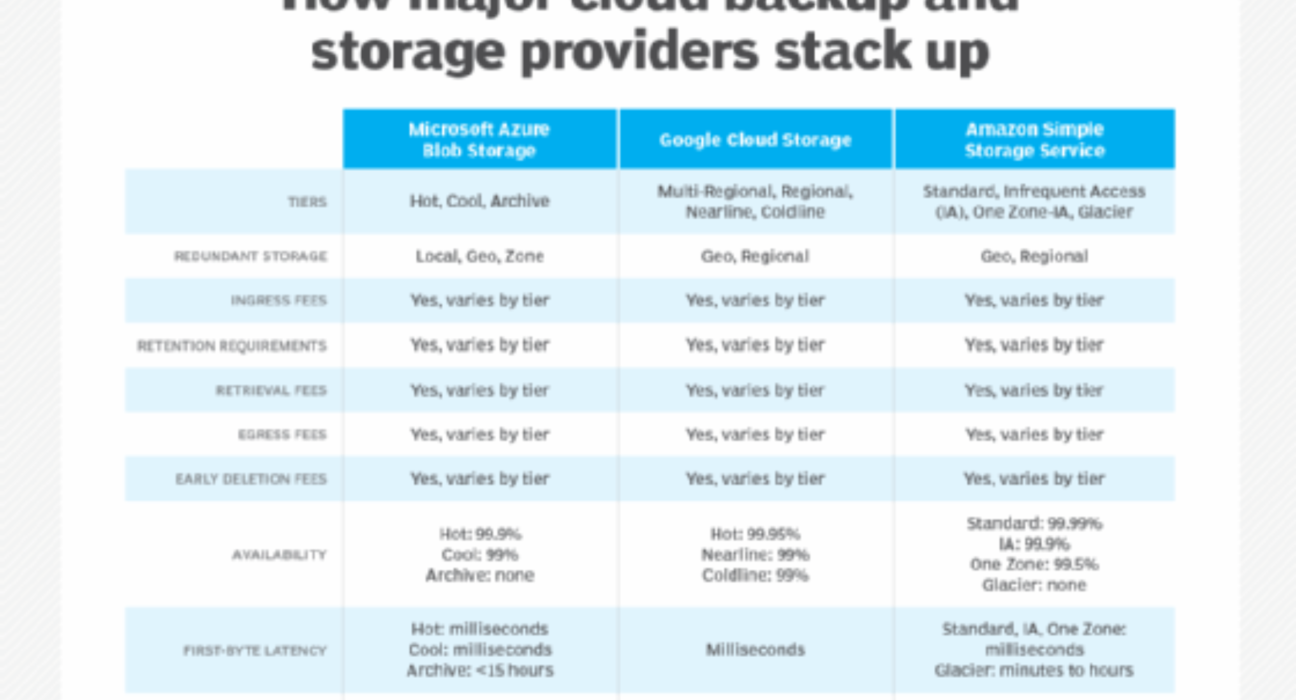
📌 What We’re Comparing
| Feature Category | What It Means |
|---|---|
| Storage & Pricing | How much space you get and how much it costs |
| Backup & Sync | How your files are stored across devices |
| Platform Compatibility | Works on iPhone, Android, Windows, Mac, etc. |
| Extra Features | Things like photo backup, sharing, security |
| Best Use Cases | Who it’s best for |
🗄️ 1. Storage Plans & Value
| Plan | iCloud | Google One | OneDrive |
|---|---|---|---|
| Free Tier | 5 GB | 15 GB | 5 GB |
| 100 GB Plan | ₹75 / month | ₹210 / month | ₹129 / month |
| 200 GB / 250 GB | ₹199 / month | ₹250 / month | — |
| 2 TB | ₹749 / month | ₹750 / month | Included with Microsoft 365 |
| Family Sharing | ✔️ Up to 6 people | ✔️ Up to 5 people | ✔️ Up to 6 people with 365 |
💡 Quick take:
- Google One gives a larger free tier (15 GB).
- OneDrive + Microsoft 365 can be best value if you also need Office apps.
- iCloud is competitively priced if you’re deeply in the Apple ecosystem.
🔄 2. Backup & Sync: How It Works
📱 iCloud
- Best for Apple devices (iPhone, iPad, Mac).
- Automatically backs up photos, messages, app data, device settings.
- Files sync across Apple devices seamlessly.
Pros:
✔ Automatic iPhone backups
✔ Messages, health data, device settings stored
✔ Works well with iCloud Drive
Cons:
❌ Best experience limited to Apple devices
📸 Google One
- Works across Android, iPhone, Windows, Mac.
- Backups include photos, videos, contacts, device data (Android).
- Includes Google Photos backup.
Pros:
✔ Best multi-platform support
✔ Great especially for Android users
✔ Google Photos integration + editing tools
Cons:
❌ No automatic app data backup on iPhone like iCloud
💼 OneDrive
- Built into Windows 10/11, strong for PC users.
- Automatically syncs Documents, Pictures, Desktop, and files you choose.
- Can also backup Android/iOS photos.
Pros:
✔ Excellent Windows integration
✔ Files available offline
✔ Encourages file organization
Cons:
❌ Device backup on mobile not as deep as Google or iCloud
📊 3. Platform Compatibility
| Platform | iCloud | Google One | OneDrive |
|---|---|---|---|
| iPhone | ⭐⭐⭐⭐⭐ | ⭐⭐⭐ | ⭐⭐⭐⭐ |
| iPad | ⭐⭐⭐⭐⭐ | ⭐⭐ | ⭐⭐⭐ |
| Mac | ⭐⭐⭐⭐⭐ | ⭐⭐ | ⭐⭐⭐ |
| Android | ⭐⭐ | ⭐⭐⭐⭐⭐ | ⭐⭐⭐⭐ |
| Windows | ⭐⭐ | ⭐⭐⭐ | ⭐⭐⭐⭐⭐ |
| Chromebook | ⭐☆☆ | ⭐⭐⭐⭐⭐ | ⭐⭐ |
Best Fit by Device:
- Apple devices: iCloud
- Android phones & Chromebooks: Google One
- Windows PCs: OneDrive
🧠 4. Extra Features & Perks
🍏 iCloud
- iCloud+ includes Private Relay, Hide-My-Email, HomeKit Secure Video storage.
- Full data encryption.
- Perfect for Apple users.
📍 Google One
- Includes Google Photos editing tools
- Subscription sharing with up to 5 others
- Extra perks like Google Play credits & discounts
🪟 OneDrive
- Includes Microsoft 365 on many plans
- Offline availability and great integration with Word, Excel, PowerPoint
- File version history and recovery tools
🔐 5. Security & Privacy
| Feature | iCloud | Google One | OneDrive |
|---|---|---|---|
| Encryption at Rest | ✔️ | ✔️ | ✔️ |
| Encryption in Transit | ✔️ | ✔️ | ✔️ |
| Two-Factor Auth | ✔️ | ✔️ | ✔️ |
| Private Encryption | ✔️ (optional- end-to-end for some data) | ❌ | ❌ |
Apple’s edge:
End-to-end encryption on many data types — meaning even Apple can’t read it.
🧩 6. Best Use Cases
🎯 📱 Best for Apple Users → iCloud
If you live in the Apple ecosystem — iPhone, iPad, MacBook — iCloud is simply the most seamless.
Automatic backups of messages, app data, photos, and settings make it a no-brainer.
🎯 🤖 Best for Android & Multi-Device Users → Google One
Google One works everywhere.
The best free tier, excellent Google Photos integration, and cross-platform support make it ideal if you switch between devices.
🎯 💻 Best for Windows & Office Users → OneDrive
If you use Windows PCs and Microsoft 365 (Word, Excel, PowerPoint), OneDrive gives excellent value.
It’s built-in and designed to work with your files without extra apps.
💡 Quick Comparison: Choosing Based on Your Priority
| Priority | Best Cloud Backup Option |
|---|---|
| Best for iPhone & Apple ecosystem | 🥇 iCloud |
| Best cross-platform support | 🥇 Google One |
| Best with Windows + Office | 🥇 OneDrive |
| Best free storage | 🥇 Google One |
| Best privacy & encryption | 🥇 iCloud |
🏁 Final Verdict
There’s no one-size-fits-all winner — but here’s the simple takeaway:
✨ If you’re an Apple person:
→ iCloud wins for seamless backup, device settings, messages, and photos.
📱 If you use Android + Google apps:
→ Google One gives the best cross-device experience and photo backup power.
💻 If you use Windows & Microsoft 365:
→ OneDrive gives the most productivity value and built-in convenience.
🧠 Pro Tip
You can use more than one! For example:
- Use iCloud Photos for your iPhone pictures.
- Use Google One for Android or Chromebook backups.
- Use OneDrive for PC files and Office documents.
Layering cloud storage gives you extra protection and flexibility.