

Best Mesh Wi-Fi Systems for Apartments vs Houses
Why Mesh Wi-Fi Matters in 2026
Traditional routers struggle with modern homes. Concrete walls, smart devices, 4K streaming, work-from-home setups, and gaming all demand consistent coverage. That’s where mesh Wi-Fi systems outperform single-router setups.
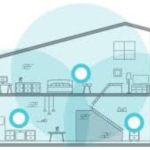
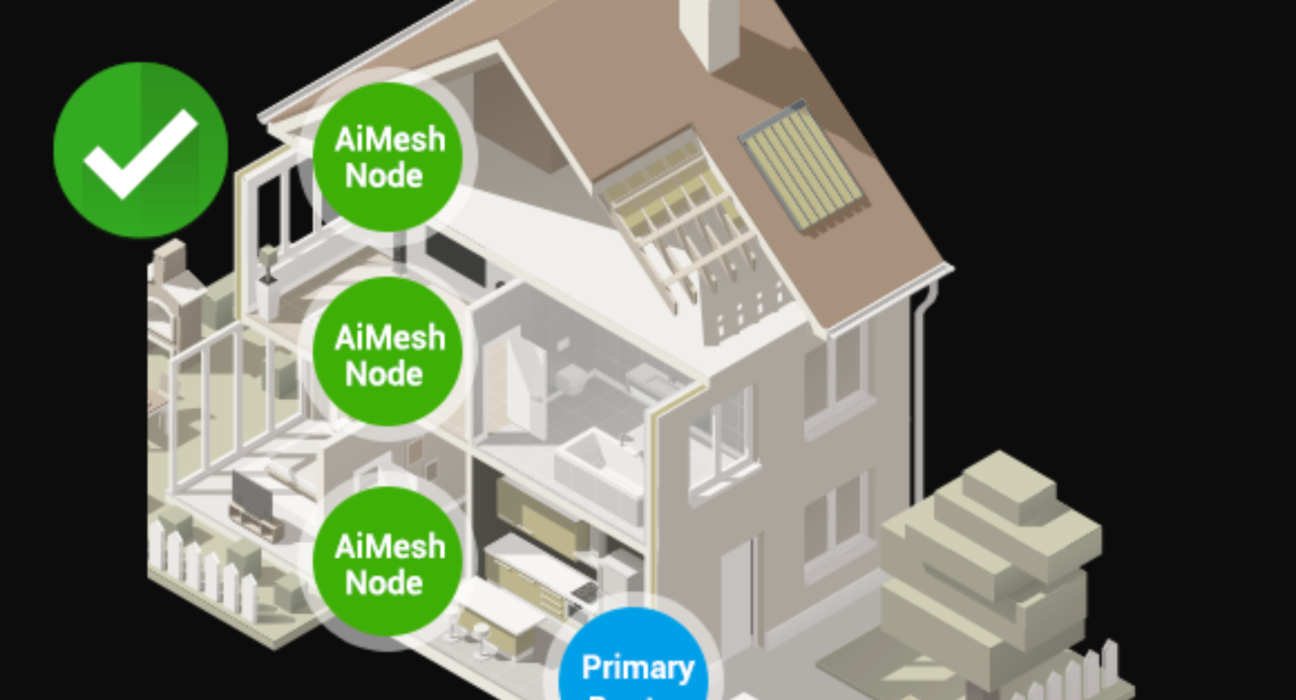
Unlike extenders, mesh systems use multiple nodes that work together as one network. You move around your home without disconnects, dead zones, or speed drops.
But here’s the catch:
👉 Apartments and houses have very different Wi-Fi needs.
Let’s break it down properly.
Apartment vs House: Wi-Fi Needs Are Not the Same
Typical Apartment Wi-Fi Challenges
Smaller space (500–1,200 sq ft)
Thick concrete walls
Heavy interference from neighboring networks
Limited room for node placement
Budget sensitivity
Typical House Wi-Fi Challenges
Larger coverage area (1,800–5,000+ sq ft)
Multiple floors
Outdoor coverage needs (garden, garage)
More devices (30–100+)
Higher internet speeds (fiber, multi-gig)
Bottom line: Buying the “most powerful” mesh system isn’t always smart—especially for apartments.
Key Factors to Consider Before Buying
- Coverage Area
Apartments: 1–2 nodes are usually enough
Houses: 3–5 nodes depending on size and floors
- Wall Materials
Concrete and brick absorb signals more than drywall. Many Indian apartments need stronger signal penetration even in small spaces.
- Internet Speed
Under 300 Mbps: Wi-Fi 6 is enough
500 Mbps–1 Gbps: Wi-Fi 6 or 6E
Multi-gig plans: Wi-Fi 7 (for houses)
- Device Count
Smart TVs, phones, laptops, cameras, speakers, and IoT devices add up fast.
Best Mesh Wi-Fi Systems for Apartments (2026)
What to Look For
Dual-band or entry-level tri-band
Compact nodes
Easy app control
Strong interference handling
Affordable pricing
Top Recommendations
TP-Link Deco Series
Best for value & stability
Excellent coverage in small spaces
Strong wall penetration
Simple setup via mobile app
Ideal for 2-BHK or 3-BHK apartments
Google Nest Wi-Fi Pro
Best for simplicity
Clean design
Excellent roaming
Automatic optimization
Best for non-technical users
Amazon Eero 6
Best for smart homes
Optimized for IoT devices
Stable performance
Works well with Alexa ecosystems
Apartment Mesh Buying Tip (Real-World Insight)
In most apartments, one powerful router or a 2-node mesh outperforms oversized systems. Too many nodes can increase interference and reduce speeds.
Best Mesh Wi-Fi Systems for Houses (2026)
What to Look For
Tri-band or quad-band systems
Dedicated wireless or wired backhaul
Multi-gig Ethernet ports
Advanced parental controls
Strong long-range performance
Top Recommendations
Netgear Orbi Series
Best overall performance
Exceptional long-range coverage
Dedicated backhaul
Ideal for multi-floor houses
Premium pricing, premium results
ASUS ZenWiFi
Best for power users
Advanced controls
Gaming-friendly
Supports wired backhaul
Excellent for tech-savvy households
Linksys Velop
Best modular system
Add nodes as needed
Good outdoor reach
Reliable long-term stability
House Mesh Buying Tip (Experience-Based)
If your house supports Ethernet cabling, wired backhaul beats wireless every time. It dramatically improves speed, stability, and latency—especially for work and gaming.
Apartment vs House: Side-by-Side Comparison
Feature Apartments Houses
Ideal Nodes 1–2 3–5
Wi-Fi Type Wi-Fi 6 Wi-Fi 6E / 7
Coverage Need Compact Wide & multi-floor
Interference High Moderate
Backhaul Wireless Wired preferred
Budget Range Low–Mid Mid–Premium
Common Mistakes Buyers Make
❌ Overbuying for Apartments
Buying a high-end tri-band system for a 900 sq ft flat wastes money and can hurt performance.
❌ Underbuying for Houses
Using a basic router in a 3-floor house leads to dead zones and frustration.
❌ Ignoring Placement
Mesh nodes need line-of-sight positioning, not hidden behind TVs or inside cupboards.
Wi-Fi 6 vs 6E vs 7: What You Actually Need
Wi-Fi 6: Perfect for most apartments
Wi-Fi 6E: Great for houses with many devices
Wi-Fi 7: Overkill for apartments, future-proof for large homes
👉 In 2026, Wi-Fi 6 is still the best value option for 80% of users.
How to Optimize Any Mesh System (Pro Tips)
Place nodes at mid-height, not on the floor
Avoid placing nodes near microwaves or metal objects
Update firmware regularly
Use Ethernet backhaul where possible
Limit unnecessary smart devices on guest networks
These steps alone can improve real-world speeds by 20–30%.
Final Verdict: Which Mesh Wi-Fi System Is Right for You?
Choose a mesh Wi-Fi system based on your home type, not marketing hype.
Apartment users:
Go for compact, affordable, interference-resistant mesh systems with 1–2 nodes.
House owners:
Invest in scalable, tri-band systems with strong backhaul and future-proof features.
The best mesh Wi-Fi systems are the ones that fit your space—not the most expensive ones.