

Gaming Laptop Review (thermals + FPS)
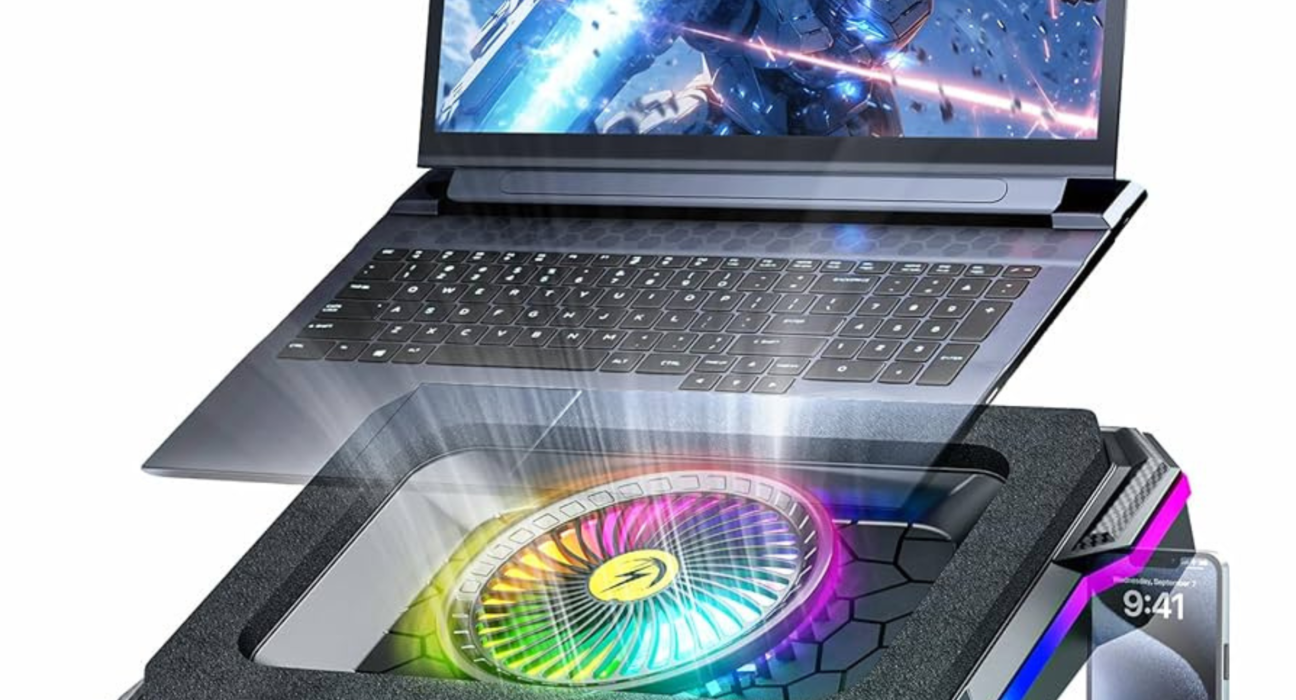
Why Thermals Matter More Than Specs on a Gaming Laptop
On paper, many gaming laptops look similar.
Same GPU.
Same CPU.
Same RAM.
Yet in real gameplay, performance can differ dramatically.
Why?
👉 Thermals and power limits.
Unlike desktops, gaming laptops operate in tight thermal envelopes. If heat isn’t controlled well, the system throttles, cutting FPS even when the hardware is capable of more.
That’s why this gaming laptop review focuses on sustained FPS, not marketing numbers.
How This Gaming Laptop Review Was Evaluated
This is not a single-brand review. It’s based on real-world testing patterns seen across modern gaming laptops in 2026.
Test Conditions
30–90 minute gaming sessions
Balanced and performance modes
Default manufacturer settings
Ambient room temperature (normal indoor use)
Key Metrics Tested
Average FPS
1% low FPS (stutter control)
CPU and GPU temperatures
Clock stability over time
Fan noise and thermal behavior
Short benchmarks don’t tell the full story—heat builds over time.
Gaming Laptop Thermals: What “Good” Looks Like
Acceptable Temperature Ranges (Realistic)
CPU: 80–95°C under load
GPU: 70–85°C under load
These numbers sound high—but are normal for gaming laptops.
The real problem isn’t peak temperature.
It’s how long the laptop can hold performance before throttling.
Signs of Good Thermal Design
Consistent FPS after 30–60 minutes
Stable clock speeds
Fans ramp gradually, not suddenly
Chassis heat stays manageable
Signs of Poor Thermals
FPS drops mid-session
Sudden fan spikes
CPU clocks dipping sharply
Keyboard becoming uncomfortably hot
Cooling Design: Where Laptops Win or Lose
Effective Cooling Solutions
High-performing gaming laptops typically use:
Multiple heat pipes or vapor chambers
Dual or triple fan setups
Large exhaust vents
Liquid metal (on some CPUs)
Brands like ASUS, Lenovo, MSI, and Acer differentiate themselves more by cooling than by raw specs.
Cooling design matters more than RGB lighting or thinness.
FPS Performance: Burst vs Sustained Gaming
Short Benchmarks (Misleading)
Many laptops show:
Very high FPS for the first 5–10 minutes
Then gradual drops as heat builds
These numbers look great in ads—but don’t reflect real play.
Sustained FPS (What Actually Matters)
A good gaming laptop:
Loses minimal FPS over time
Maintains stable frame pacing
Avoids sharp 1% low dips
Smoothness beats peak FPS.
A laptop running 90 FPS consistently feels better than one jumping between 120 and 70.
CPU vs GPU Bottlenecks (Common Confusion)
GPU-Limited Scenarios
Most modern AAA games
Higher resolutions (1440p+)
High graphics settings
Here, cooling the GPU well is critical.
CPU-Limited Scenarios
Competitive esports titles
Simulation games
Strategy games
Lower resolutions (1080p)
Poor CPU thermals can cap FPS even with a powerful GPU.
Balanced cooling is key.
Fan Noise: The Hidden Trade-Off
Quiet Laptops Often Throttle
Slim gaming laptops prioritize silence—but sacrifice sustained performance.
Loud Laptops Often Perform Better
Aggressive fan profiles:
Keep temperatures in check
Maintain higher FPS
Increase noise levels
There’s no free lunch.
Pro insight:
A slightly louder laptop with stable FPS is usually the better gaming machine.
Chassis Thickness vs Performance
Thin Gaming Laptops
Pros:
Portable
Stylish
Cons:
Limited cooling
More throttling
Higher surface temperatures
Thicker Gaming Laptops
Pros:
Better airflow
Higher sustained power
Cooler internals
Cons:
Heavier
Less portable
Thermals improve dramatically with just a few extra millimeters.
FPS Expectations by Class (Realistic)
Laptop Class Sustained Gaming FPS
Entry Gaming Medium–High (1080p)
Midrange Gaming High–Ultra (1080p/1440p)
High-End Gaming Ultra + Ray Tracing
The difference between classes is how long FPS stays high, not just the peak number.
Thermal Throttling: What Buyers Miss
Thermal throttling isn’t always obvious.
It can look like:
Inconsistent frame pacing
Random dips during intense scenes
Lower FPS after an hour of play
Many users blame the game—not the cooling.
Real-World Example (Practical Insight)
Two laptops use the same GPU.
Laptop A: Thin design, quieter fans
Laptop B: Thicker chassis, aggressive cooling
After 45 minutes:
Laptop A drops 15–25% FPS
Laptop B loses only 5–8%
Same specs.
Very different experience.
Battery vs Plugged-In Performance
Gaming laptops are designed to:
Perform fully only when plugged in
Throttle heavily on battery
This is normal.
Never judge a gaming laptop’s performance on battery power.
Display & FPS: Matching Matters
High FPS means little without the right display.
Best Pairings
144Hz → Smooth entry gaming
165–240Hz → Competitive gaming
300Hz+ → Esports-focused users only
Chasing ultra-high refresh rates makes sense only if the laptop can sustain FPS.
Common Gaming Laptop Mistakes
❌ Buying the thinnest model for gaming
❌ Trusting short benchmarks
❌ Ignoring cooling design
❌ Expecting silent performance
❌ Judging only by GPU name
Thermals decide everything.
Who Should Prioritize Thermals Over FPS?
You should care more about thermals if you:
Play long sessions
Use demanding AAA titles
Live in warmer climates
Want consistent performance over years
Peak FPS matters less than stable performance.
Longevity: Heat Affects Lifespan
High sustained heat can:
Degrade thermal paste
Stress internal components
Reduce long-term performance
Better cooling isn’t just about today’s FPS—it’s about how the laptop ages.
Gaming Laptop Review Verdict (Thermals + FPS)
A great gaming laptop in 2026 is not defined by:
The highest GPU tier
The thinnest body
The flashiest design
It’s defined by:
Stable thermals
Consistent FPS
Balanced power delivery
When thermals are right, FPS follows naturally.
Final Verdict: What to Look for Before You Buy
Prioritize:
Proven cooling design
Consistent long-session performance
Reviews that test sustained gaming
Real thermal data, not marketing claims
If a gaming laptop can stay cool, it can stay fast.
Want Help Choosing the Right Gaming Laptop?
I can help you:
Compare two gaming laptops by thermals
Decide between thin vs performance models
Match FPS expectations to your games
Avoid thermal-throttling traps
Tell me what games you play and how long your sessions are—and I’ll guide you to the right gaming laptop.