🛡️ Indoor Security Camera Review — Privacy, Safety & Smart Features (2026 Guide)
🔐 Privacy & Security Features That Matter
When choosing an indoor camera, pay attention to the privacy tools and protection each model offers:
✅ Local Storage (No Mandatory Cloud)
Cameras that support microSD card recording let you store footage locally — this keeps your video off third-party servers if you prefer privacy over cloud. Several Tapo cameras include this option.
🔒 Encrypted Communication
Look for end-to-end or strong TLS encryption for camera feeds and app communication — this prevents hackers from intercepting video streams or credentials.
🧑💻 Optional Cloud Storage
Some systems offer cloud storage with subscription, but privacy-aware cameras let you turn this off and rely on local storage instead. Always check the data access policies of the brand.
🕵️ AI & Smart Detection
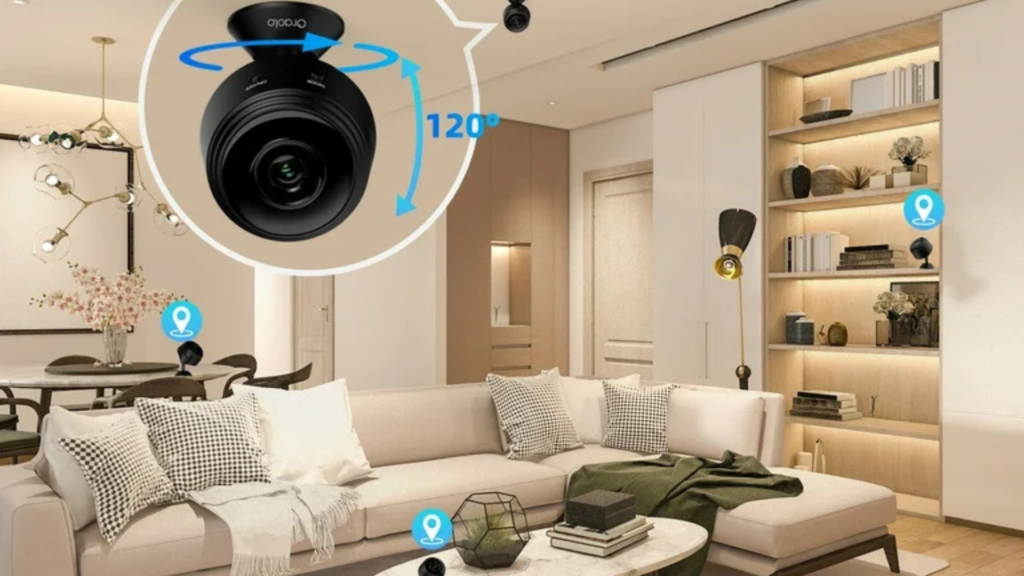
Modern indoor cameras can distinguish people, pets, and motion with AI — reducing false alarms. Some even let you define privacy zones (areas the camera won’t record).
🏁 Trusted, Tested Brands & What to Watch Out For
📌 TP-Link Tapo
Often ranks high in independent camera tests for reliable performance and local storage features, which help keep video private to your home network.
📌 Data Sharing & Privacy Concerns
Some brands have had mixed community feedback regarding data sharing and cloud privacy — always review the privacy policy before buying. For example, Eufy has historically come up in discussions about data storage and trust, though newer models aim to improve on this.
📌 Big Brand Ecosystems
Systems from major smart home ecosystems (Apple HomeKit Secure Video, Google Nest) offer encrypted camera feeds and tighter platform controls, but typically require subscriptions if you want cloud backup.
📌 Tips for Privacy-Focused Indoor Camera Use
🔹 Disable unnecessary cloud uploads — prefer local storage if you don’t want footage on remote servers.
🔹 Place cameras out of private areas (not inside bedrooms or bathrooms).
🔹 Use strong, unique passwords and enable 2FA on camera apps/accounts.
🔹 Update firmware regularly to patch any security vulnerabilities.
🎯 Final Thoughts
Today’s best indoor security cameras balance clear video, smart alerts, and robust privacy protections. A camera isn’t just about seeing — it’s about controlling who has access to that video and how it’s stored. Models with local storage and encrypted connections are generally better for privacy-focused users, while cloud services can be convenient but should be optional.