
💻 MacBook vs Windows Laptop — Best Choice for Students & Work (2026 Guide)
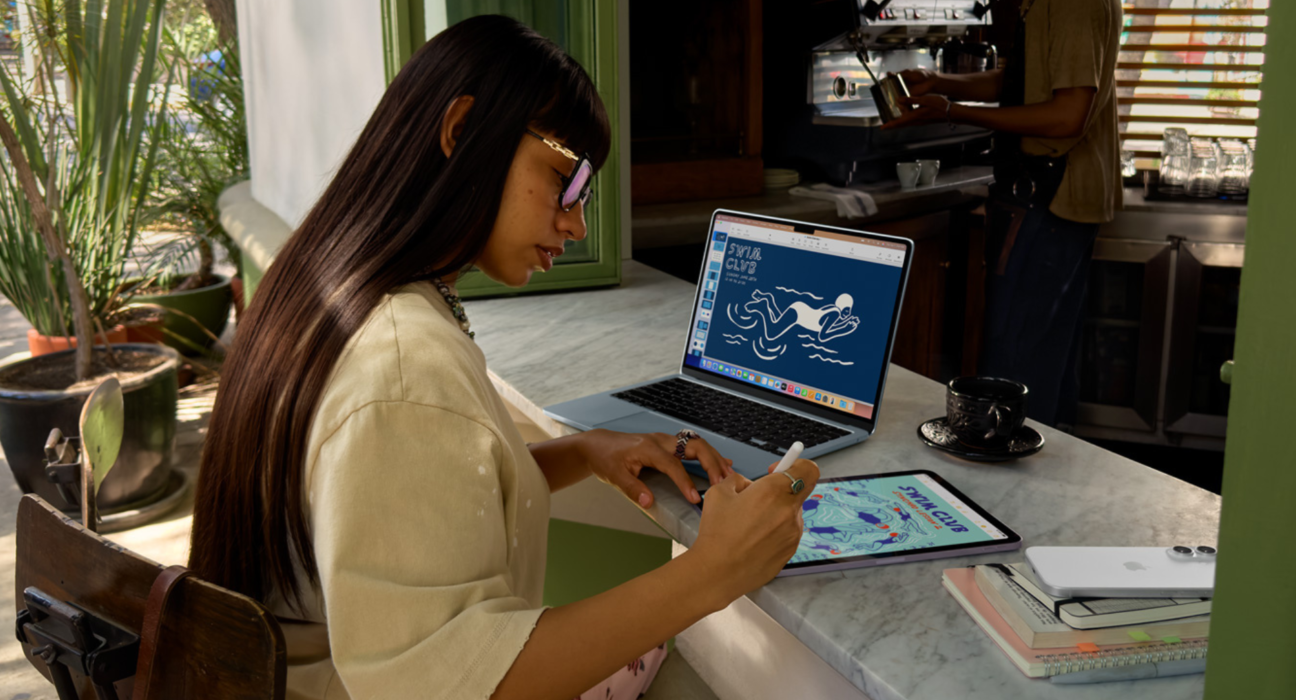
Choosing between a MacBook and a Windows laptop isn’t just about brands — it’s about how you work, study, and what services you rely on. Both are excellent platforms, but each has strengths and weaknesses that matter depending on your priorities.
Here’s a clear, honest look at the key differences and which is best for students and work.
📊 Quick Comparison
| Feature | MacBook (macOS) | Windows Laptop |
|---|---|---|
| Best for Students | ⭐⭐⭐⭐ | ⭐⭐⭐⭐⭐ |
| Best for Work | ⭐⭐⭐⭐ | ⭐⭐⭐⭐⭐ |
| Performance | 🧠 Optimized | 🧠 Wide range |
| Software Compatibility | ✔ Best for Apple apps | ✔ Best for general apps |
| Gaming | ❌ Limited | ⭐⭐⭐⭐⭐ |
| Battery Life | ⭐⭐⭐⭐ | ⭐⭐⭐ |
| Build Quality | ⭐⭐⭐⭐ | ⭐⭐⭐⭐ (varies) |
| Price Range | 💸 Mid–Premium | 💸 Entry–Premium |
🧠 1. Performance & Efficiency
💻 MacBook
MacBooks — especially models with Apple Silicon (M-series) — are known for:
✔ Excellent battery life
✔ Quick app performance
✔ Low heat / silent operation
✔ Efficient performance for everyday tasks
Best for:
- Writing, research, projects
- Coding / development
- Media editing (Photos, video, design)
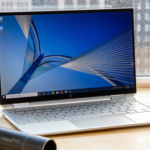
💻 Windows Laptop
Windows laptops vary widely:
✔ Budget options for school tasks
✔ Mid-range for everyday productivity
✔ High-end for power users and gaming
Best for:
- Heavy workloads with configurable hardware
- Software that’s Windows-exclusive
- Gaming and specialized software
👉 Winner: Depends — MacBooks are more consistent, Windows has more variety.
📚 2. Software & App Compatibility
🍎 macOS
✔ Great with Apple ecosystem (iCloud, Notes, iMessage)
✔ Excellent apps for students (Pages, Numbers, Keynote)
✔ Smooth creative apps (Final Cut Pro, Logic Pro)
❌ Limited for certain Windows-only apps
🪟 Windows
✔ Best compatibility overall
✔ Supports almost all software used in school and work
✔ Often required for engineering, CAD, accounting software
✔ Strong support for games
👉 Winner: Windows wins compatibility — especially for work environments that rely on specific programs.
📱 3. Ecosystem & Integration
🍏 MacBook (macOS)
✔ Works seamlessly with iPhone / iPad / Apple Watch
✔ Universal Clipboard (copy/paste across devices)
✔ AirDrop, iMessage, FaceTime built in
If you already use iPhone or iPad, a MacBook can feel effortlessly integrated.
🪟 Windows
✔ Works well with Android devices, but not as seamless
✔ Microsoft ecosystem (OneDrive, Teams, Outlook) integrates deeply
👉 Winner: MacBooks if you live in the Apple ecosystem; otherwise tie.
🎮 4. Gaming
🍎 MacBook
❌ Limited gaming library
✔ Some Apple Arcade titles
🪟 Windows Laptop
✔ Best platform for gaming
✔ Supports wide game libraries + peripherals
✔ RTX/AMD GPUs enable high-end gaming
👉 Winner: Windows Laptop
🛡️ 5. Security & Privacy
🍏 MacBook
✔ Strong built-in security
✔ macOS is less targeted by malware
✔ Frequent updates
🪟 Windows
✔ Strong protection with Windows Security
✔ More targeted by malware (due to large install base)
✔ Requires good security practices
👉 Winner: MacBook for security simplicity; both are safe with proper updates.
⌛ 6. Battery Life & Portability
🍎 MacBook
✔ Long battery life (often 12–20+ hours)
✔ Lightweight and slim design
🪟 Windows Laptop
✔ Varies widely by model
✔ Premium machines can approach MacBook battery life
❌ Budget models often lag
👉 Winner: MacBook for consistent long battery life.
💼 7. Price & Value
🍎 MacBook
✔ Excellent performance per watt
❌ Premium price tag
🪟 Windows Laptop
✔ Wide price range — entry to premium
✔ Best budget options for students
👉 Winner: Windows for flexibility; MacBook for long-term value.
🎓 Best for Students
Best Student Option: Windows Laptop
✔ Affordable options under budget
✔ Works with most school software
✔ Better for notebooks, finance, engineering apps
Great choices depending on budget:
💡 Budget students → Windows laptops
💡 Engineering / heavy software → Windows laptops
💡 Creative students with Apple devices → MacBook
💼 Best for Work (Depending on Role)
📌 MacBook Best For:
✔ Designers & creatives
✔ Writers / content creators
✔ Developers (especially web, Apple ecosystem)
📌 Windows Best For:
✔ Business users (Office / Teams / ERP)
✔ Engineers (CAD / AutoCAD / MATLAB)
✔ Gamers + power users
🧠 Real-World Scenarios
🎯 Scenario: You want simplicity
Go with a MacBook — battery life and integration with iPhone make it effortless.
📊 Scenario: You rely on specific software
Go with Windows — better compatibility with work/school requirements.
💼 Scenario: You’re on a tight budget
Windows laptops offer decent performance at low cost.
🎬 Scenario: Creativity & Media Editing
MacBook with Apple Silicon delivers smooth editing and export.
🏆 Final Recommendation
| Your Goal | Best Choice |
|---|---|
| Budget-Friendly Student | 🪟 Windows Laptop |
| Creative Work & Apple Users | 🍏 MacBook |
| Gaming + Power | 🪟 Windows Laptop |
| Long Battery & Portability | 🍏 MacBook |
| School Software Compatibility | 🪟 Windows Laptop |
🤔 Final Thoughts
There’s no one-size-fits-all winner — but you can pick the best tool for your life:
⭐ Choose MacBook if:
- You’re in the Apple ecosystem
- You value battery life and simplicity
- You work with creative apps
⭐ Choose Windows Laptop if:
- You need wide software compatibility
- You’re on a budget
- You want gaming or specialized apps