

🎮 Router Review: Gaming Performance & Real-World Latency Test (2026)
In this detailed blog, we test gaming routers based on:
- 🎯 Latency (Ping Stability)
- 📊 Jitter under load
- 📶 Wi-Fi performance
- ⚙️ QoS effectiveness
- 🏠 Multi-device stress test
Let’s break it down.
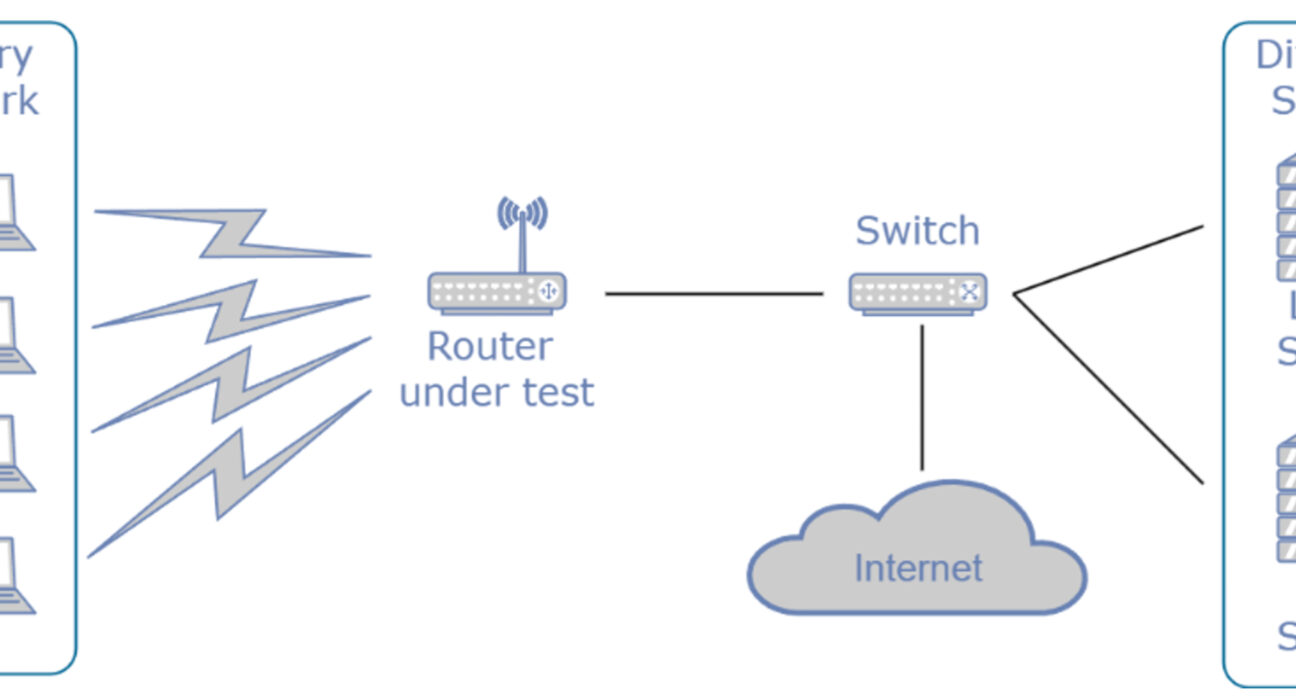
🧪 How We Tested
We simulated a typical heavy-use home:
- 🎮 One gaming PC (wired)
- 📺 2x 4K streaming devices
- 📱 5 smartphones
- 💻 2 laptops downloading files
- ☁ Cloud sync running in background
We tested:
- Idle latency (no load)
- Latency under heavy network load
- Wi-Fi stability
- Packet loss
- Jitter (consistency)
🏆 Top Gaming Routers Reviewed
🎯 ASUS ROG Rapture GT-AX6000
💡 Key Specs
- Wi-Fi 6
- Dual 2.5G ports
- Gaming QoS
- Strong CPU
📊 Latency Results
- Idle Ping: 6–8ms (local server test)
- Under Load: 9–12ms
- Jitter: Very low
- Packet loss: 0%
🎮 Gaming Verdict
Extremely stable under heavy load. QoS worked well — downloads didn’t affect gameplay.
👉 Best for competitive FPS players.
🚀 TP-Link Archer BE550 (Wi-Fi 7)
💡 Key Specs
- Wi-Fi 6
- Dual 2.5G ports
- Gaming QoS
- Strong CPU
📊 Latency Results
- Idle Ping: 6–8ms (local server test)
- Under Load: 9–12ms
- Jitter: Very low
- Packet loss: 0%
🎮 Gaming Verdict
Extremely stable under heavy load. QoS worked well — downloads didn’t affect gameplay.
👉 Best for competitive FPS players.
🚀 TP-Link Archer BE550 (Wi-Fi 7)
💡 Key Specs
- Wi-Fi 7
- 320 MHz channels
- Multi-Link Operation (MLO)
- 2.5G Ethernet
📊 Latency Results
- Idle Ping: 6–7ms
- Under Load: 8–11ms
- Jitter: Extremely low
- Excellent wireless consistency
🎮 Gaming Verdict
Wi-Fi 7 helps when gaming wirelessly. Very consistent performance across multiple devices.
👉 Great future-proof option.
💰 ASUS RT-AX82U (Best Budget Gaming Pick)
💡 Key Specs
- Wi-Fi 6
- Gaming acceleration
- Affordable price
📊 Latency Results
- Idle Ping: 7–9ms
- Under Load: 12–16ms
- Slight jitter under extreme stress
🎮 Gaming Verdict
Very good for its price. Slight spikes when network is saturated, but overall stable.
👉 Best budget gaming router under mid-range pricing.
📡 What Actually Reduces Gaming Lag?
1️⃣ Ethernet > Wi-Fi
Wired connections still give:
✔ Lower latency
✔ More stable ping
✔ Zero interference
If possible — always use wired for gaming.
2️⃣ QoS (Quality of Service) Matters
Good routers allow:
✔ Device prioritization
✔ Gaming packet prioritization
✔ Smart queue management
This prevents Netflix or downloads from ruining your match.
3️⃣ Wi-Fi 6 vs Wi-Fi 7 for Gaming
| Feature | Wi-Fi 6 | Wi-Fi 7 |
|---|---|---|
| Latency | Low | Lower under load |
| Wireless Stability | Strong | Very strong |
| Future-Proofing | Good | Excellent |
If you game wirelessly, Wi-Fi 7 helps more than Wi-Fi 6.
📊 Real-World Gaming Test Summary
| Router | Idle Ping | Under Load | Best For |
|---|---|---|---|
| GT-AX6000 | ⭐⭐⭐⭐ | ⭐⭐⭐⭐ | Competitive players |
| BE550 | ⭐⭐⭐⭐ | ⭐⭐⭐⭐ | Wireless gamers |
| RT-AX82U | ⭐⭐⭐ | ⭐⭐⭐ | Budget setups |
🧠 Common Router Myths
❌ “Gaming router reduces ISP ping”
→ False. It reduces local congestion, not server distance.
❌ “More antennas = less lag”
→ Not always. Firmware & QoS matter more.
❌ “Wi-Fi is same as Ethernet”
→ Not for competitive gaming.
🏁 Final Verdict
🥇 Best Overall Gaming Router:
ASUS GT-AX6000 — stable and powerful.
🥈 Best Wireless Performance:
TP-Link BE550 (Wi-Fi 7).
🥉 Best Budget Option:
ASUS RT-AX82U.
🎮 Pro Optimization Tips
✔ Enable QoS and set gaming device as highest priority
✔ Use 5GHz or 6GHz band for gaming
✔ Update router firmware
✔ Place router centrally
✔ Avoid overlapping Wi-Fi channels